
With prices going up and a possibly last chance at the old sale price for Memorial Day, I pulled the traeger on a new Ironwood XL that I’ve been wanting since they came out.
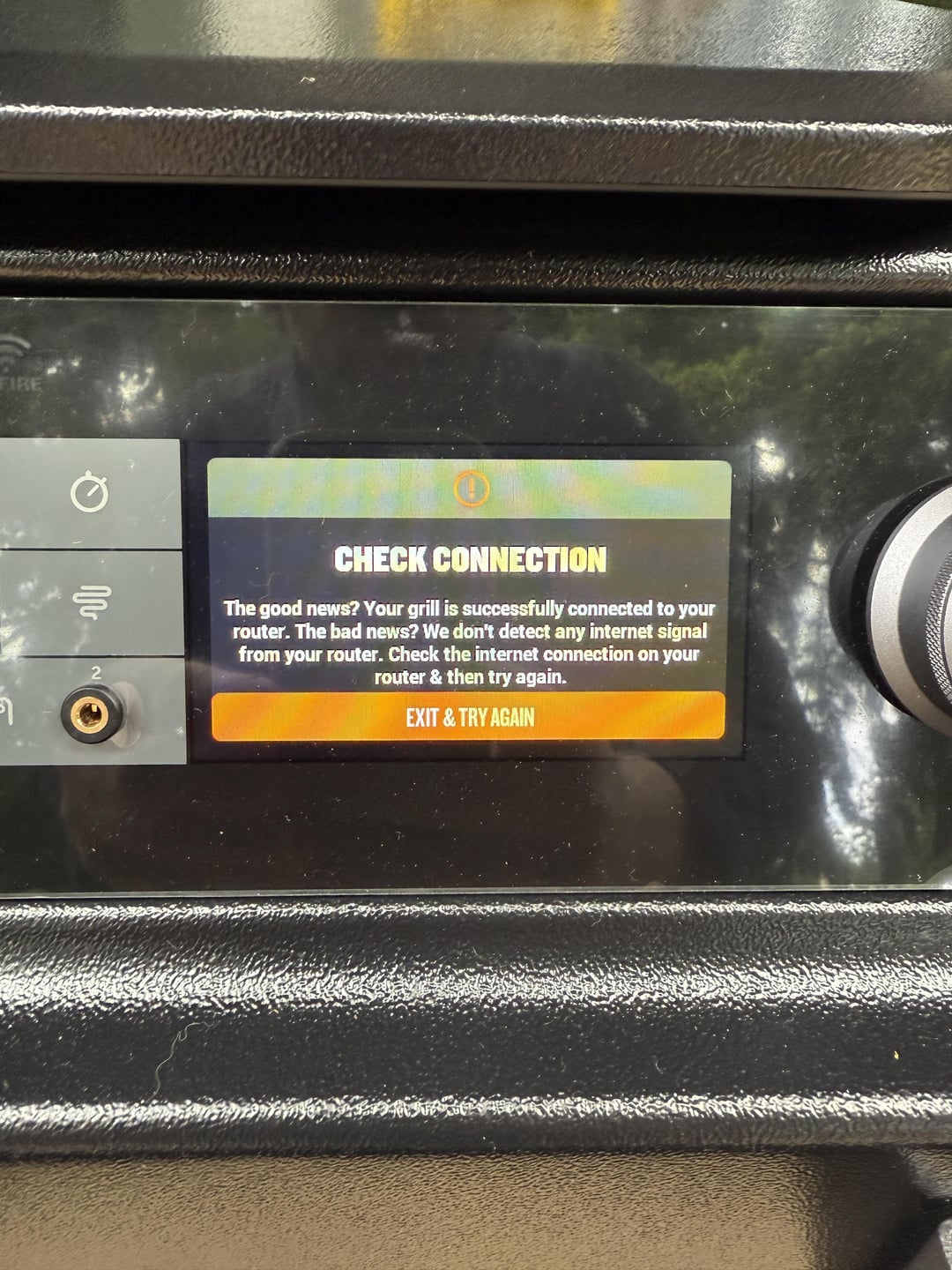
I tried pairing and connecting to WiFi before doing a burn in or dropping a single pellet in the hopper. Disappointingly, I encountered many of the usual WiFi issues that these grills seem to be plagued with. I spent many hours with multiple traeger support folks who led me through the usual list of checks with no remedy. The main issue is that I can eventually connect to my network, but the grill says it doesn’t detect Internet. At that point there are no options on app or controller but to abort and try again. I’ve been through this a dozen times or so.
I have purchased a new TP link deco 6E mesh router to replace an old nighthawk, set up a standalone 2.4g network for the grill, deleted and reinstalled my phone app, forgot my old grill from the app, made sure phone was on the 2.4g network as well, moved the grill to line of sight of the router about 15 ft away through an open door (closest I could get), and still no dice.
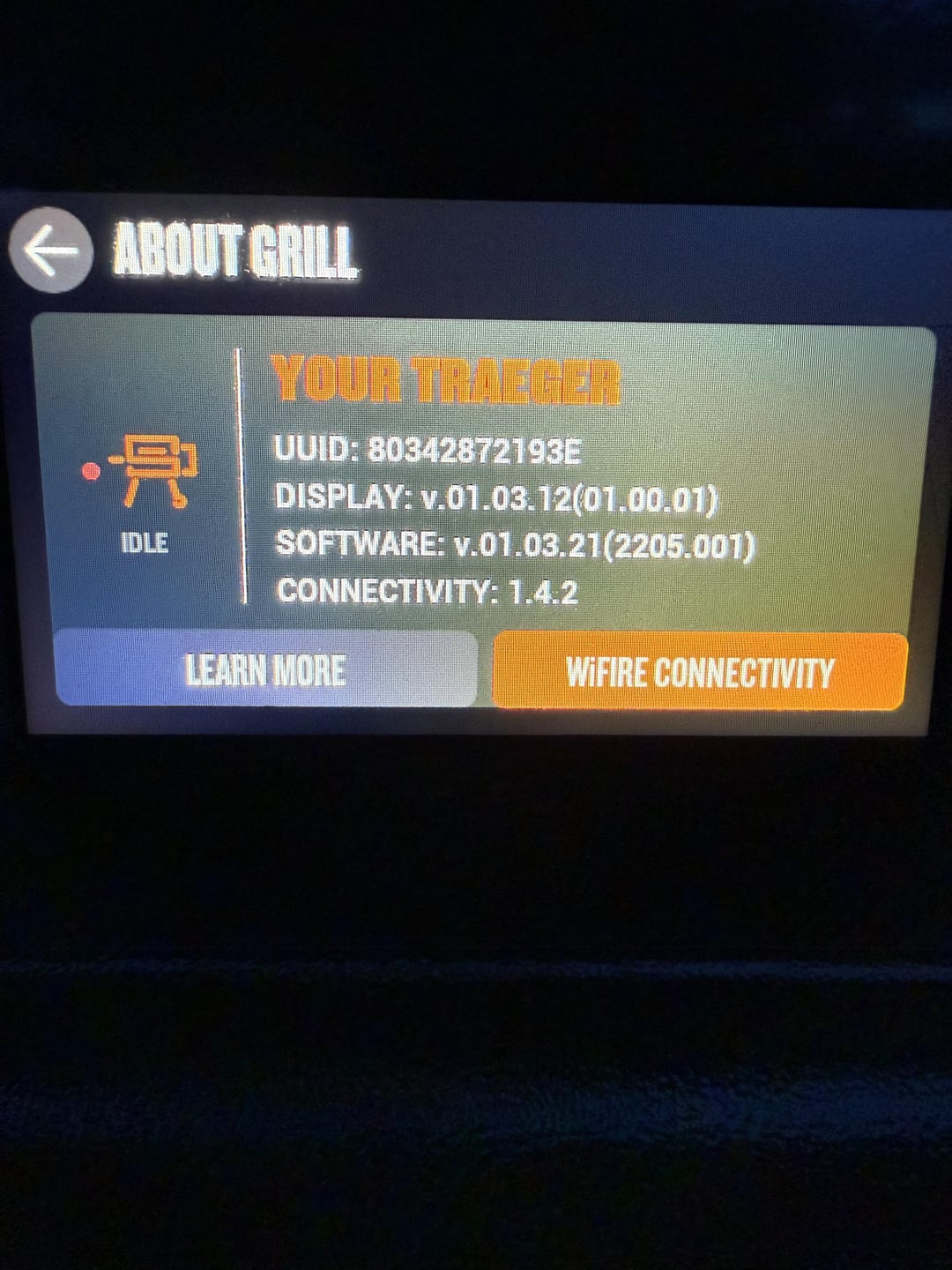
Traeger support says I should be able to forget any previous networks from the controller in case it was ever connected to one, but my software version definitely does not have that option unless I can get to the point of being connected to the network and internet in the first place. They also gave me instructions for how to remove the side cover and check to see if the wifi antenna is connected to the motherboard. I have not done this step yet but also don’t see how that would be the issue if it can connect to the router. Also – on a brand new grill, would be extremely sad if that’s the case.
My previous generation wifire controlled Silverton XL has never had any issue with connecting to my network even using the dual bad 5/2.4g main switching setup.
For reference, this is an Ace delivered built unit. I asked for a new one in a box, but they didn’t have one available. So while it all looked new, there’s a non-zero chance that it could’ve been plugged in and connected to a network at some point. The firmware is definitely out of date but there’s no way to update without a wifi internet connection.
My ISP is Ziply fiber if that makes a difference – but I don’t see why it should between two Traegers.
I’ve searched a lot and seen many WiFi issues but not this particular one. Just throwing this out there as a last ditch for ideas before I return the grill.
by Wideopencowbell
9 Comments
Hey! It looks like you posted an image!
If this is a photo of one of your cooks, maybe share the recipe and techniques
used, as it’s almost guaranteed one of the first questions you will be asked!
*What seasoning did you use?
*How long did you cook it, and at what temperature?
*Did you use any special tricks or techniques?
Traeger on!
*I am a bot, and this action was performed automatically. Please [contact the moderators of this subreddit](/message/compose/?to=/r/Traeger) if you have any questions or concerns.*
I have the same Deco mesh network. Both with my new Woodbridge, and my previous Silverton XL that I previously had, there was no need to setup a standalone 2.4…I just had dual band 2.4/5GHz enabled in the WAPs with the same SSID name
I wonder if when you set up the standalone 2.4 you had your phone on the 5GHz? I think they need to be on the same SSID to get the credentials passed from phone to grill?
Sounds like you’ve tried all the normal stuff. I’m sure you’ve seen this page about wifi reset…
[https://support.traeger.com/hc/en-us/articles/4416574684955-How-to-Reset-Your-Grill-s-WiFi-Information](https://support.traeger.com/hc/en-us/articles/4416574684955-How-to-Reset-Your-Grill-s-WiFi-Information)
Good luck!
Try creating a guest network under the 2.4 band. This worked for me when setting up a Woodridge Pro this past weekend. I was getting error 44 constantly but after making a guest wifi it worked right away. Also make sure wifi name is short.
ahh yes, when the grill cannot connect to the internet – what a time to be alive lol
This is why I’ll stick with my pro 34 and a cheap thermometer probe with Bluetooth and an app. If it breaks it’s $75 bucks and my grill still turns on.
It can’t be this hard to light your grill. IOT has jumped the shark.
I’ve had a few devices in my home that wouldn’t connect to the 2,4/5 networks and had to enable the built in IoT network on my TP Link deco router, instant connectivity then. Since, I have moved a lot of my TV’s, wireless thermometers, etc to the IoT network and kept the 2.4/5 for computers and my home lab.
Try turning on mobile wifi on someone else’s apple device, then connect to that. Once connected, update the firmware and then connect to your home wifi. That’s what always seems to work for me.
Turn off private relay on your iPhone when attempting to pair it to WiFi via the app.
Also an XL owner. And Traeger sales rep.
I had to temporarily turn off the 5g network to connect to the 2.4g network to successfully pair the unit. After that turn the 5g network back on and good to go! Happy smoking to you